
fr:symmetry:option_save_as
This is an old revision of the document!
Option de menu "Sauver comme"
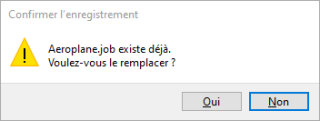
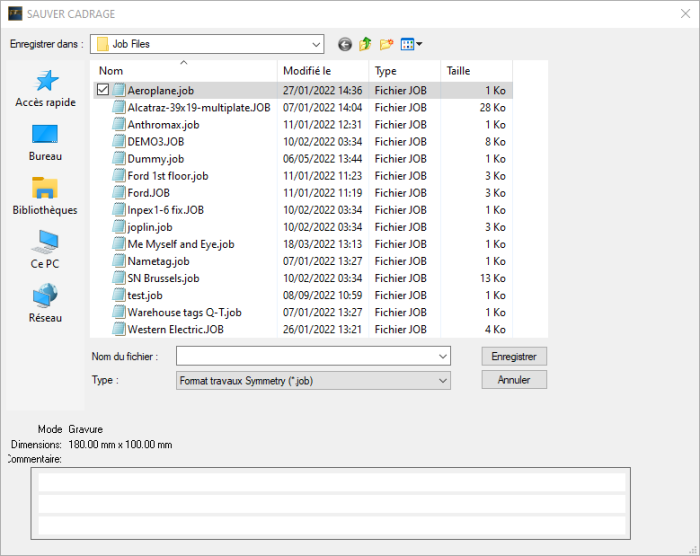 Quand vous choissez l’option “Sauver comme” pour sauvegarder un fichier dans votre ordinateur ou réseau local, vous aurez la possibilité de le sauvegarder sous un nouveau nom, même si vous êtes parti d’un fichier existant avec un autre nom. Vous pouvez également réintroduire le même nom, ou cliquer sur un nom parmi la liste des fichiers existants. Quand vous faites cela, Windows vous affichera un message comme quoi ce fichier existe déjà et vous demandera si vous voulez le remplacer.


- L’option “Sauver comme” vous permet également d’avoir accès au Commentaire. Par conséquent, vous pouvez vous serir de l’option “Sauver comme” pour sauvegarder un fichier existant avec son nom original, mais en ajoutant des commentaires ou en modifiant les commentaires existants.
- Pour plus d’informations sur les différentes parties de la fenêtre “Sauver cadrage”, nous vous référons à l’option de menu Sauver.
Notes
- The “Save” and “Save as” options are very similar to the “Save Project As” option. With Save Project As, all files that are in the .job file are copied to one directory. This way, when Symmetry will open a job file later on, it doesn’t have to “find” these files.
Imagine you send a .job file to another PC. If that .job contains a clipart or font that is only on your original PC, then the other PC will not be able to open and include it. But, if you save the project, you will send all the files that are used in the .job file to the new PC and it will be able to open it to execute the job.
fr/symmetry/option_save_as.1663145286.txt.gz · Last modified: 2022/09/14 10:48 by jan.vangelder


